Vehicle Smart Card Status Check Online: Punjab, Sindh, and KPK Complete Tracking Guide
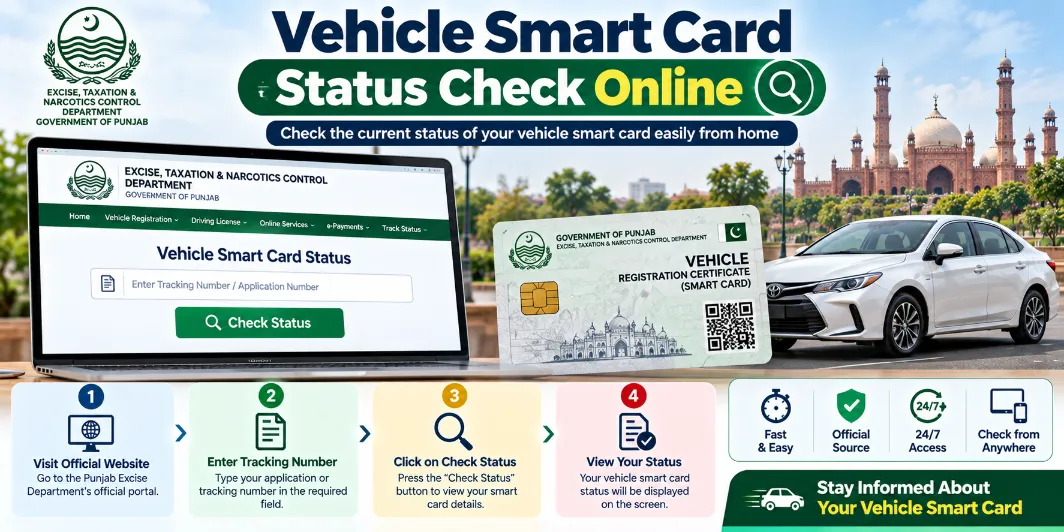
Waiting for your physical vehicle registration card after buying a new car or completing an ownership transfer can be frustrating. Provincial Excise, Taxation, and Narcotics Control departments across Pakistan have moved away from physical registration books to secure automated cards. Knowing how to perform a vehicle smart card status check online saves you repeated visits to government offices and helps you track your document from approval to doorstep delivery.
Every province uses its own digital system. Punjab relies on its Motor Transport Management Information System (MTMIS), Sindh operates through the Excise Sindh portal, and Khyber Pakhtunkhwa provides tracking through KPK MTMIS. This guide walks you through the exact steps needed to track your registration card online in Punjab, Sindh, and KPK, along with how to clear tracking issues fast.
Why Smart Cards Replaced Registration Books in Pakistan
Modern registration cards feature an embedded microchip that stores verified vehicle data. This chip securely contains the owner's CNIC, chassis number, engine details, tax clearance history, and seating capacity. Law enforcement officers use handheld digital scanners to read card data during routine traffic stops.
Switching to this chip-based format reduces document forgery and streamlines ownership verification. The transition relies on the chip-based smart card for vehicle registration framework, which connects regional databases to a centralized verification network. This structure ensures car and motorcycle records remain secure across provincial borders.
Vehicle Smart Card Status Check Online in Punjab
The Punjab Excise, Taxation, and Narcotics Control Department issues vehicle cards through an automated tracking pipeline. You can check your application progress using three different methods depending on what information you have available.
Method 1: Track Smart Card via Application Tracking ID
When you register a vehicle or apply for a transfer in Lahore, Rawalpindi, Multan, or any Punjab district, your Excise deposit slip displays a unique tracking number.
- Open the official MTMIS Punjab online portal (mtmis.excise.punjab.gov.pk).
- Select the Application Tracking option on the navigation dashboard.
- Enter your tracking ID exactly as printed on your payment receipt.
- Click Submit to display your current stage.
Method 2: Smart Card Status Check Using CNIC
If you lost your payment slip, check every vehicle registered to your national identity card.
- Navigate to the MTMIS Punjab portal.
- Click Verification by CNIC.
- Enter your 13-digit CNIC number without any spaces or dashes.
- Complete the on-screen CAPTCHA security prompt.
- Click Submit to review all linked vehicles and their physical card statuses.
Method 3: Download E-Card in Punjab (vrcentpunjab.com)
If you need temporary registration proof while waiting for courier delivery, download a digital registration copy.
- Visit the Punjab e-registration portal at vrcentpunjab.com.
- Enter your vehicle registration number (e.g., LEA-26-1234).
- Provide the full chassis number from your sale invoice or old registration documents.
- Click Search to generate your digital e-Card.
- Download the PDF copy to save on your smartphone or print out.
Vehicle Smart Card Status Check Online in Sindh
The Excise, Taxation, and Anti-Narcotics Department of Sindh manages registrations for Karachi, Hyderabad, Sukkur, and surrounding districts through its centralized verification portal.
How to Verify Smart Card Progress in Sindh
- Go to the official Excise Sindh portal (excise.gos.pk) or MTMIS Sindh portal.
- Select Online Vehicle Verification.
- Choose your vehicle category (Two Wheeler or Four Wheeler).
- Type the vehicle registration number.
- Complete the CAPTCHA code and click Search.
The system shows owner registration details, tax payment status, and physical card processing notes. If your transaction involved recent biometric verification at a local office, processing usually finishes within 15 to 20 working days.
Vehicle Smart Card Status Check Online in KPK
The Khyber Pakhtunkhwa Excise, Taxation, and Narcotics Control Department manages vehicle verification for Peshawar, Mardan, Abbottabad, and other regions.
Tracking Steps for KPK Vehicle Cards
- Visit the official KPK Excise portal (kpexcise.gov.pk) or KPK MTMIS search system.
- Click on Vehicle Search / Online Verification.
- Enter your registration number.
- Review your ownership profile, tax status, and card issuance flags.
KPK vehicle owners can also track records using the official mobile application provided by the department on the Google Play Store. This app displays updated registration statuses directly on your mobile device.
Tracking Smart Card Courier Delivery via Pakistan Post
When your portal status reads Dispatched, the card has left the Excise printing center and is in transit with Pakistan Post. Follow these steps to trace delivery:
- Retrieve your postal tracking code from your MTMIS status page or SMS update.
- Visit the official Pakistan Post tracking portal (ep.gov.pk/track.asp).
- Enter the tracking number. If search results do not appear, try entering the code both with and without dashes (e.g., BLL-1234 or BLL1234).
- Check the delivery branch location. If the postman missed you due to an incomplete address, visit your local General Post Office (GPO) with your original CNIC to collect the card in person.
Common Reasons for Delays and How to Resolve Them
If your online status remains unchanged for over a month, one of these common bottlenecks may be responsible:
- Physical Blank Card Shortages: Global chip supply disruptions occasionally delay blank smart card manufacturing, creating backlogs across provincial excise hubs.
- Incomplete Biometric Verification: In Sindh and Punjab, failure by either the buyer or seller to complete biometric verification stalls processing.
- Address Errors: If your postal address on record differs from your current residence, Pakistan Post cannot complete delivery.
- Unpaid Token Taxes: Outstanding vehicle token tax dues halt card printing until all liabilities are cleared.